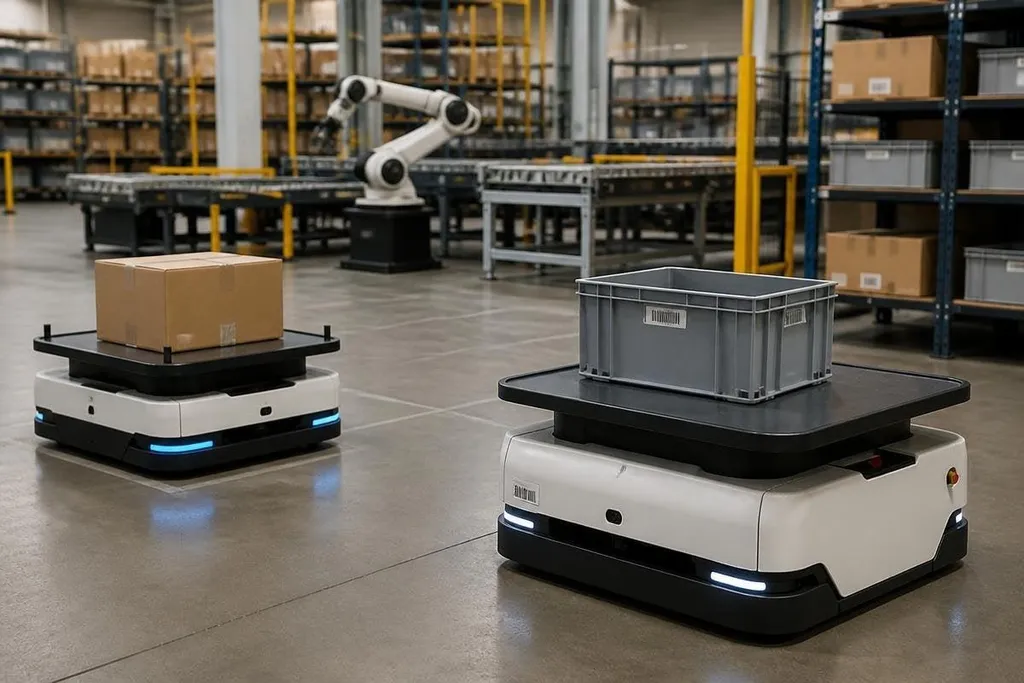
Warehouse robots may move well on their own, but useful automation depends on what they can share with other machines. The next step for connected robot systems depends on shared data, task rules, and safe failure modes. A larger fleet only helps when those basics work.
- Robots need shared maps, task status, and safety signals.
- ROS 2, DDS, OPC UA, and MQTT solve different parts of the connection problem.
- A network failure must leave the robot in a known safe state.
What connected robots need to share
Connected robots don't need access to every piece of data in a facility. They need the right data at the right time. That may include location, battery level, current task, payload, and whether a person has entered the work area.
A shared map helps mobile robots plan around shelves, doors, and other machines. Task data prevents two robots from taking the same pallet. Safety data can stop motion when a scanner sees a person, even if the wider network is slow.
The data also needs a clear owner. A fleet manager may control task status, while a safety controller handles stops and a warehouse system assigns orders.
If every system can change every value, a small software fault can spread across the site.
Why one protocol won't solve it
Connected robot systems usually contain several data layers. ROS 2 helps robot software exchange messages. It commonly runs over the Data Distribution Service, or DDS, which handles message delivery between software nodes.
OPC UA serves a different job. It gives industrial equipment a structured way to describe machines, states, and commands. MQTT is built for light messages between devices and servers, so it may carry status updates when a robot does not need a continuous data stream.
These tools can work together, but they don't remove the need for system design. A robot may publish its position through ROS 2, send a production state through OPC UA, and report a battery warning through MQTT. The site still needs rules for naming those values, setting update rates, and deciding which message has priority.
The network will fail
A connected system must expect lost Wi-Fi, delayed messages, blocked sensors, and power cuts. Any robot that depends on a live server for every movement has a weak safety plan, even if the network works during a test.
Local control should handle motion and safety stops. The network can assign jobs, share maps, and send status to a supervisor. That split keeps a short connection failure from turning into uncontrolled movement.
Security belongs in the same design. Transport Layer Security, or TLS, can protect data while it moves between systems. Access rules should limit which service can send a motion command, change a map, or read a camera feed. Logs should record the robot, command, time, and result so an operator can check what happened.
A connected site can pass data cleanly and still fail when two systems give the same word different meanings. Reporting from Robot24 can tie that gap to the named robots and tested task, leading into the next question: how should shared software describe the work?
The hard part is shared meaning
A battery value of 20 may mean 20% charge, 20 minutes left, or a sensor code. The number is useless until the systems agree on its unit and meaning. The same problem appears with location, speed, payload, and task status.
A shared data model fixes this at the software level. Each field needs a name, unit, time stamp, source, and allowed range. If a robot reports speed in meters per second and another system expects kilometers per hour, the error can reach scheduling or safety logic before anyone sees it.
I’d judge a connected robot project by its failure plan before its dashboard. A clean screen does not show what happens when the map is old, the network drops, or a second robot reports a conflicting position.
A practical check before connecting a fleet
Use this list before adding another robot to an existing system:
- Name the data: write down every value the robot sends or receives, including units and update rates.
- Set command rights: decide which service may pause motion, assign work, change maps, or restart a task.
- Test lost contact: remove the network connection and record the robot's exact response.
- Keep local safety: make sure obstacle detection and emergency stops work without a server.
- Record events: save commands, sensor states, faults, and operator actions with time stamps.
- Plan removal: define how to revoke a robot's credentials and delete its access when it leaves the fleet.
The next useful measure is not the number of robots connected. It is the number of tasks that still finish safely when one robot, one sensor, or one network link stops working.